
Super Mario Color by Number Printables: 12 Free Pixel Art Pages
Reveal favorite video-game characters one square at a time with these free Super Mario color-by-number printables.
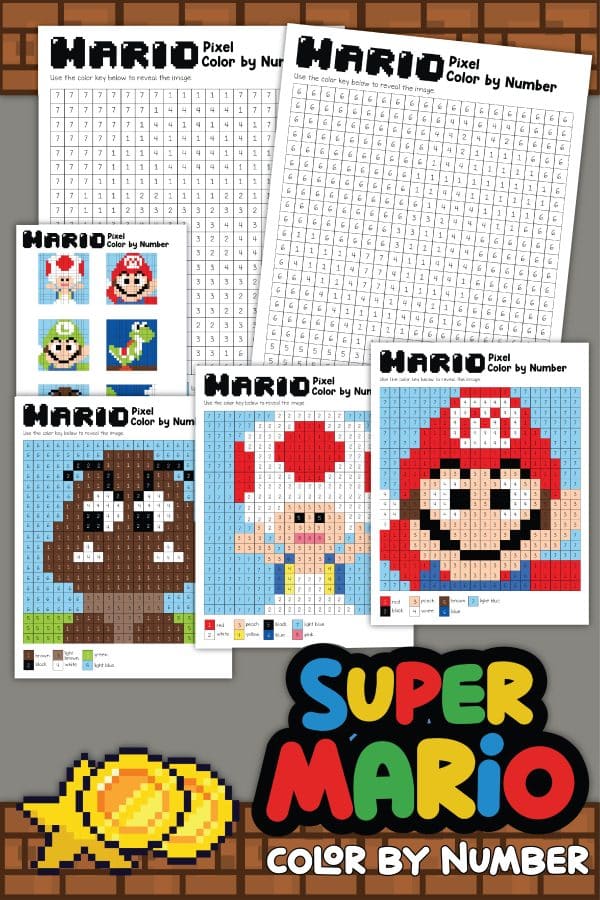
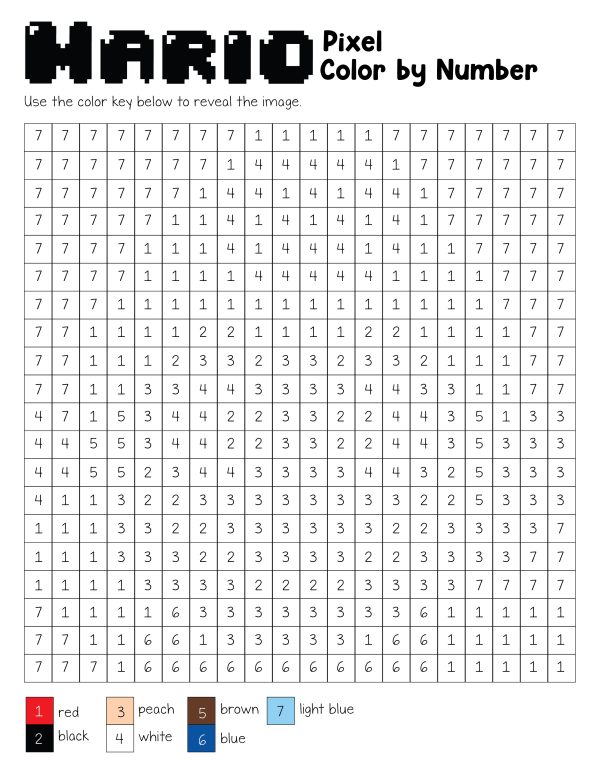
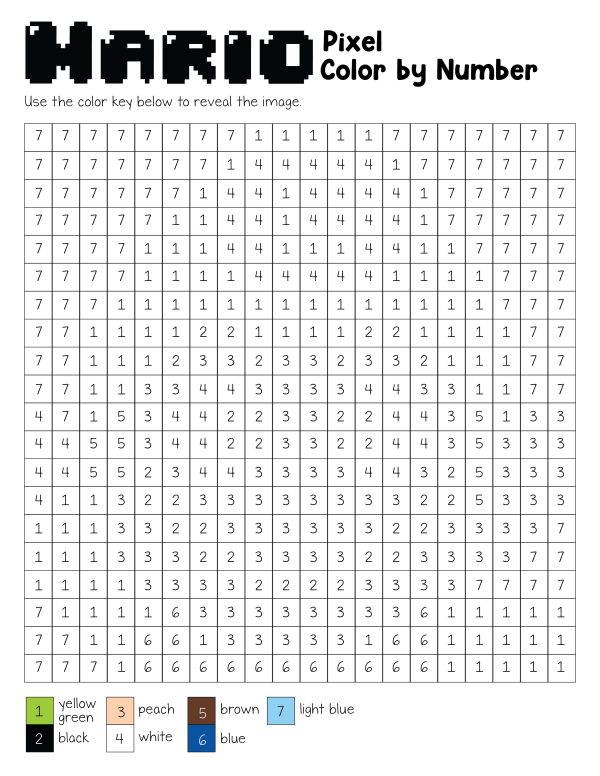
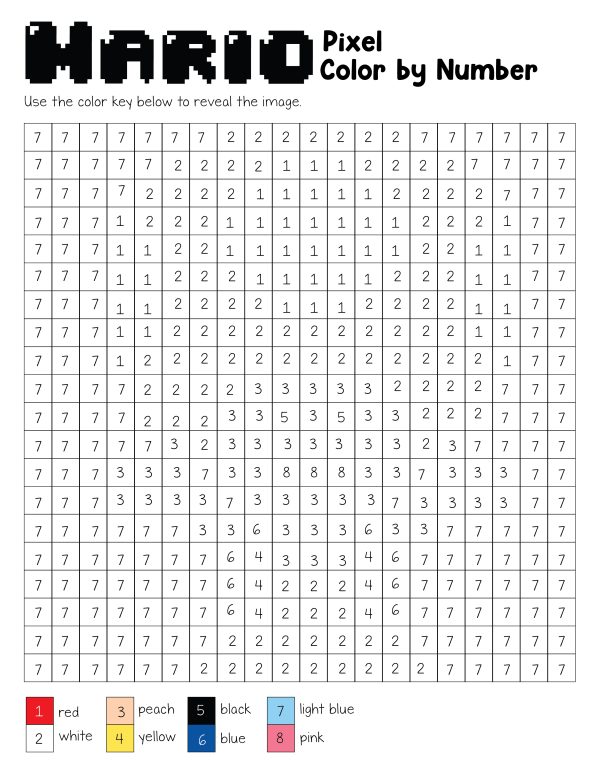
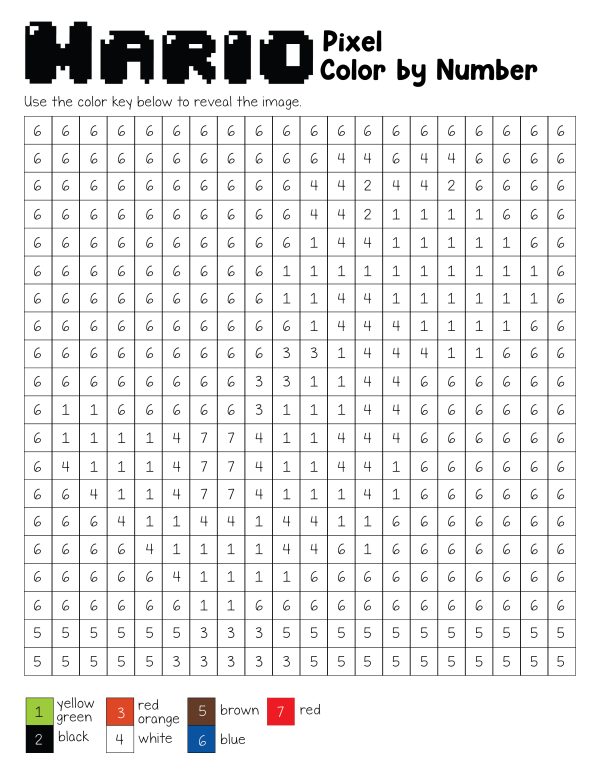
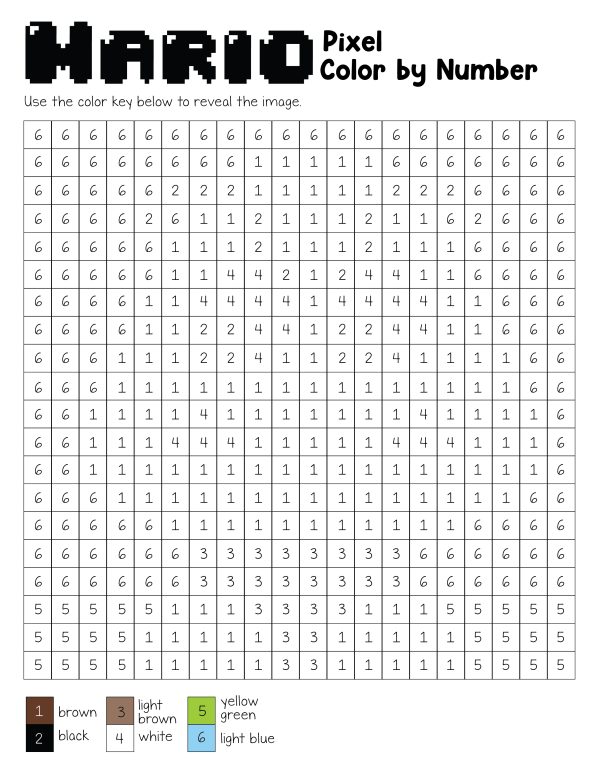
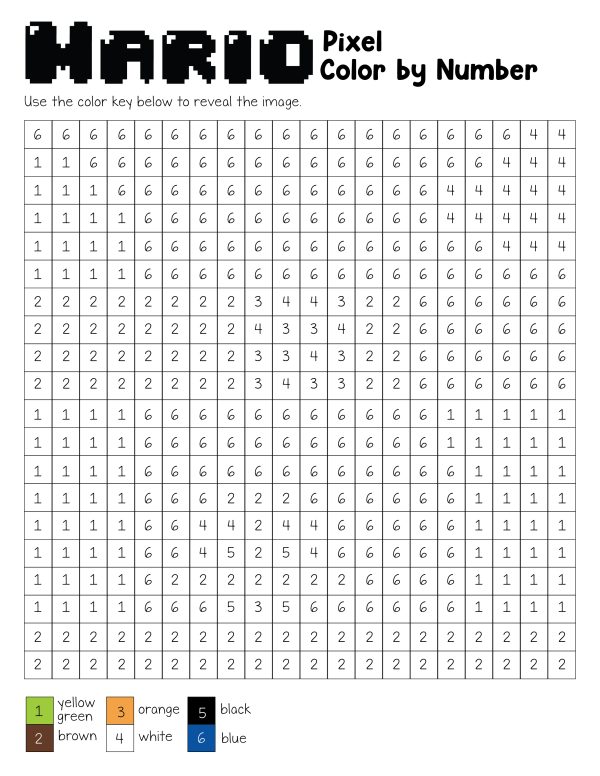
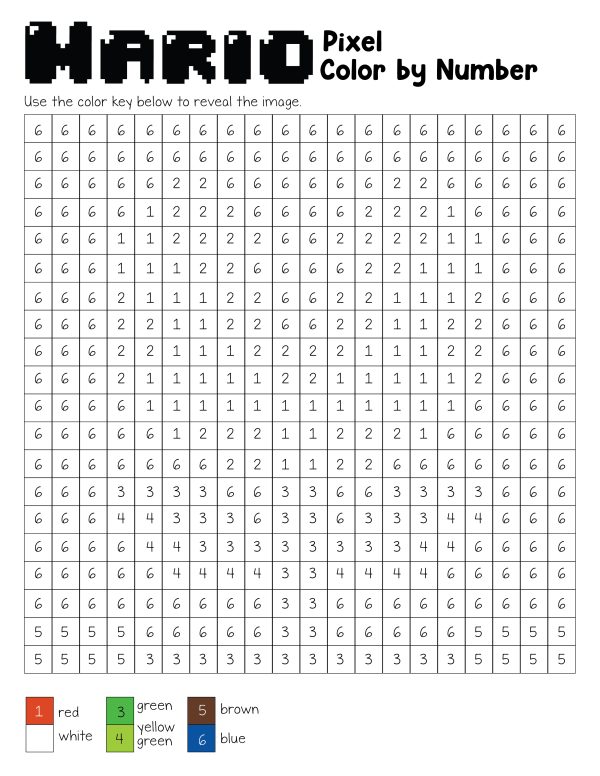
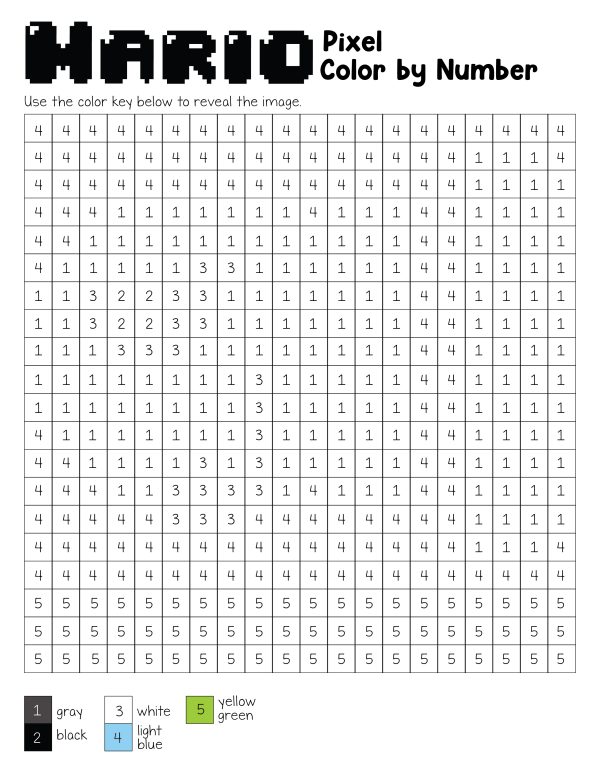
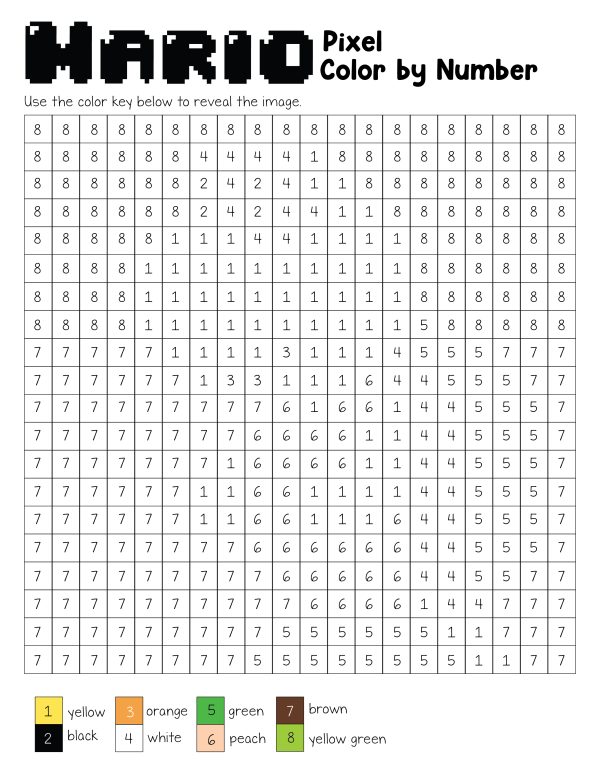
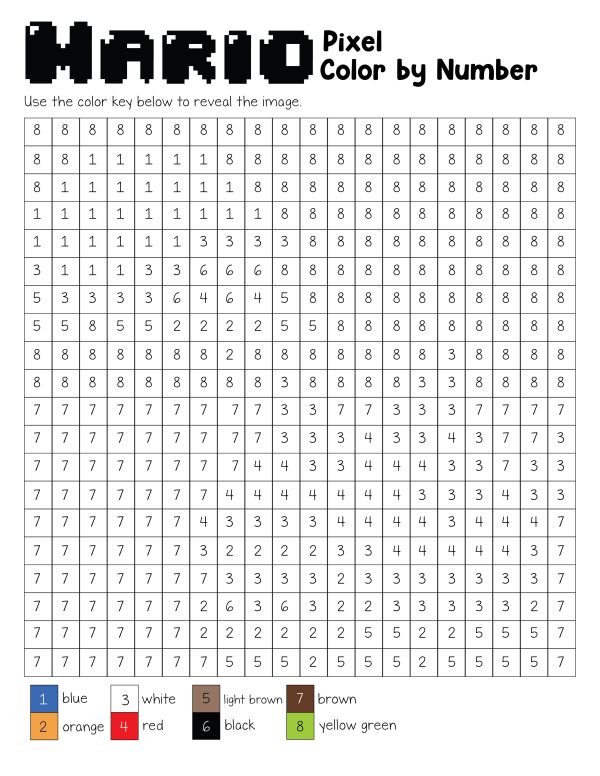
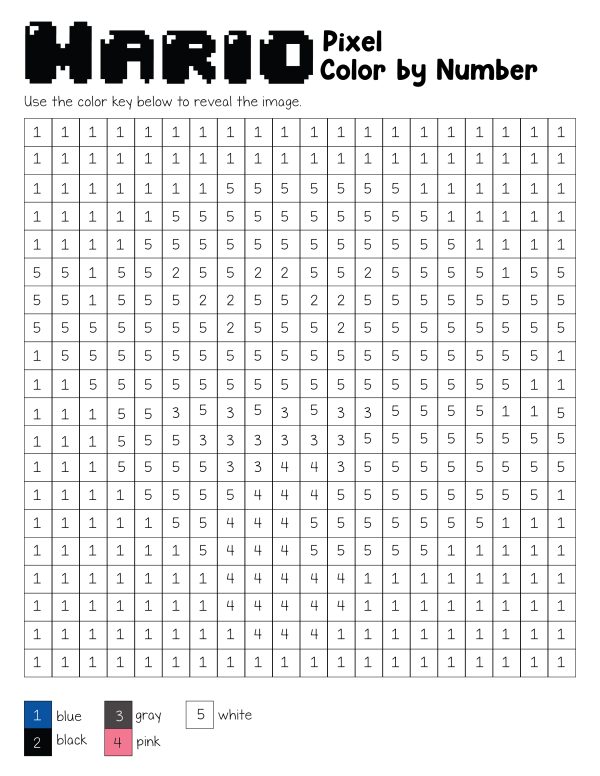
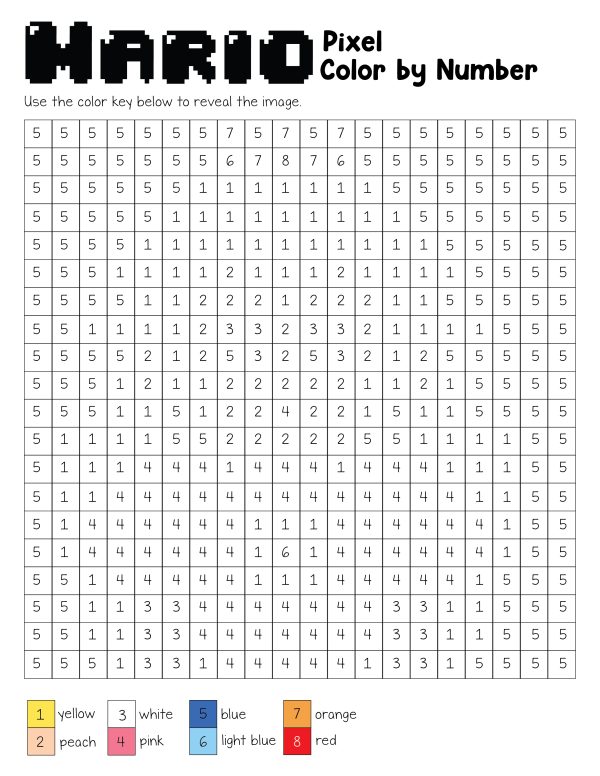
The downloadable PDF includes 12 mystery pixel-art worksheets featuring Mario and other recognizable characters from the Mushroom Kingdom. Children follow the color key at the bottom of each page, match each number with the correct color, and fill in the 20-by-20 grid until the hidden picture appears.
Because the image is not immediately obvious, these pages feel more like puzzles than traditional coloring sheets. Children must work carefully across the numbered grid, watch for color changes, and use the completed answer page to check their finished designs.
Use the printable set for a Mario birthday party, classroom brain break, homeschool activity, rainy afternoon, road-trip folder, indoor recess, or quiet-time activity.
What Is Included in the Mario Color-by-Number PDF?
The printable PDF contains 13 pages:
- 12 individual mystery color-by-number worksheets
- 1 completed answer-key page showing all 12 finished pictures
Each activity page contains:
- A 20-by-20 pixel grid
- One number inside every square
- A color key beneath the grid
- Between five and eight colors
- A hidden Mario-themed image
The final page provides a small completed version of every puzzle so children, parents, and teachers can check the results.
Mario Characters Included:
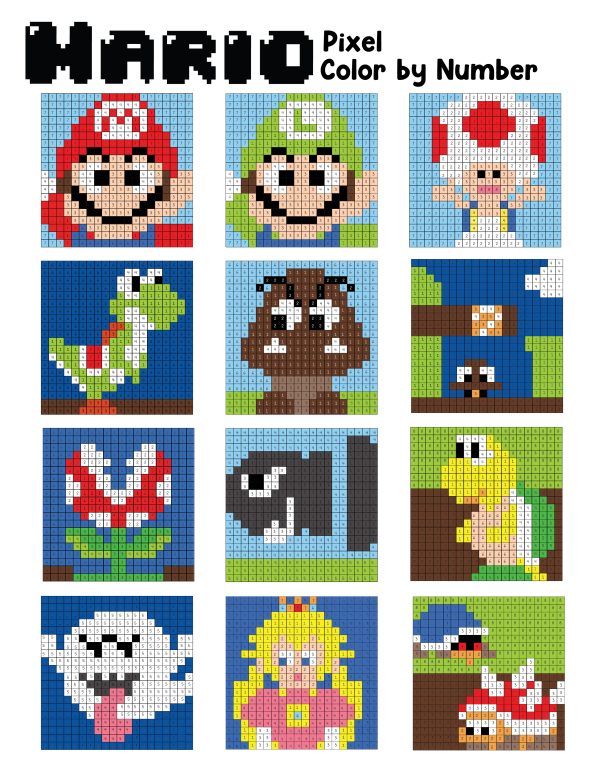
The 12 pixel-art pages reveal:
- Mario
- Luigi
- Toad
- Yoshi
- Goomba
- Question Block
- Piranha Plant
- Bullet Bill
- Koopa Troopa
- Boo
- Princess Peach
- Donkey Kong
The first two worksheets use nearly identical grids but different color keys, allowing the same basic pixel pattern to reveal Mario on one page and Luigi on the next.
How Mario Pixel Color by Number Works
Every square in the grid contains a number.
The color key at the bottom of the page assigns a specific color to each number. For example, one page may use:
- 1 for red
- 2 for black
- 3 for peach
- 4 for white
- 5 for brown
- 6 for blue
- 7 for light blue
Children find every square marked with a particular number and color those squares with the corresponding shade.
As more squares are completed, the hidden pixel-art character begins to appear.
The exact key changes from page to page, so children should always check the key printed beneath the puzzle rather than assuming that the same number represents the same color throughout the packet.
- Super Mario Coloring Pages
- Super Mario Connect the Dots
- Minecraft Color by Notes
- Sports Color by Number
- Minecraft Pixel Color by Letters
This post may contain affiliate links. As an Amazon Associate and a participant in other affiliate programs, I earn a commission on qualifying purchases. Read our disclosure policy here.



Supplies Needed:
- Printed Mario color-by-number PDF
- Crayons
- Colored pencils or fine-tip markers
- Pencil, optional
- Ruler or straightedge, optional
- Clipboard, optional
- Completed answer-key page
Colored pencils are usually the easiest choice because each grid square is fairly small. Fine-tip washable markers also work, but broad markers may cover the printed numbers or bleed into neighboring squares.
Crayons can be used, although younger children may find it harder to stay inside the compact pixel boxes.
Best Colors to Have Available:
The worksheets use different combinations of:
- Red
- Red-orange
- Orange
- Yellow
- Yellow-green
- Green
- Blue
- Light blue
- Pink
- Peach
- Brown
- Light brown
- Gray
- Black
- White
White can be confusing on ordinary printer paper because those squares may appear blank. Children can lightly outline white sections, use a white pencil on pale-colored paper, or simply leave those squares uncolored.
How to Use the Mario Color-by-Number Worksheets
Download and Print the PDF
Download the 13-page file and save it to your device.
Print the complete packet or select individual page numbers. Use standard 8.5-by-11-inch letter-size paper.
Choose actual size or 100% scale so the numbered boxes remain easy to read.
Printing at a reduced scale is not recommended for younger children because the grid squares and numbers will become much smaller.
Choose One Mystery Picture
Give each child one worksheet without showing the answer page first.
Part of the appeal is discovering which character is hidden inside the grid.
Children can make a prediction before coloring by looking at:
- The colors in the key
- Where darker squares appear
- The general arrangement of numbers
- Any recognizable shape beginning to form
Review the Color Key
Before coloring, read every number and color aloud.
Have children locate a few example squares in the grid and point to the matching color before they begin.
This reduces mistakes caused by skipping the key or confusing similar shades.
Start With One Number
Choose one number and color every matching square before moving to the next.
For example:
- Color all squares marked 1.
- Return to the key.
- Find the color for number 2.
- Complete every number 2 square.
- Continue until the grid is finished.
This method is usually easier than changing colors constantly as the child moves from box to box.
Work From Top to Bottom
Children can also complete the picture one row at a time.
A ruler or blank sheet of paper placed beneath the current row can help them keep their place.
This is especially helpful on sections containing many repeated numbers.
Check the Finished Picture
After completing the worksheet, compare it with the answer key on the last page.
Look for:
- Uncolored squares
- A section filled with the wrong color
- Numbers that were accidentally skipped
- Places where similar colors were confused
The answer page shows all 12 completed pixel-art pictures in a four-row gallery.
Which Worksheet Is Easiest?
Difficulty depends on the number of colors, how the colors are distributed, and how easily the child can track repeated numbers.
The pages using five or six colors may feel easier than those using seven or eight.
Good starting options include:
- Goomba
- Question Block
- Piranha Plant
- Bullet Bill
- Boo
Mario, Luigi, Princess Peach, and Donkey Kong contain more color changes and smaller details, making them better for children who are comfortable reading a dense grid.
What Ages Are These Worksheets For?
These pixel color-by-number pages are best suited to approximately first grade through upper elementary, although age is less important than the child’s comfort with:
- Recognizing numbers through eight
- Following a color key
- Coloring small spaces
- Tracking rows and columns
- Working independently for an extended period
Younger children may complete the pages successfully with adult help or by working on only part of the grid at a time.
Older children and adults who enjoy pixel art may also find the mystery-picture format relaxing.
Competing pixel-art worksheets similarly position this type of activity for younger students practicing number recognition while noting that older children can enjoy the designs too.
Tips for Younger Children
Enlarge the Worksheet
Print the page at a larger scale on legal paper or use your printer’s poster setting.
Larger squares are easier for children who are still developing pencil control.
Complete One Color at a Time
Cover the unused crayons or pencils and give the child only the color currently being used.
This prevents constant switching and reduces mistakes.
Mark Completed Colors
Place a check beside each color on the key after every matching square has been filled.
Highlight One Row
Use a ruler or strip of paper to isolate the row being completed.
Work in Short Sessions
The child does not need to finish the entire 400-square grid at once.
Complete five rows, take a break, and return later.
Pair With an Adult or Older Child
One person can call out numbers while the other colors.
This turns the activity into a cooperative game.
Number Skills Practiced
The worksheets repeatedly reinforce recognition of the numbers one through eight.
Children practice:
- Reading single-digit numbers
- Matching identical numbers
- Connecting numbers with colors
- Scanning rows and columns
- Following a coded key
- Checking work for accuracy
- Noticing patterns
These are coloring activities rather than formal math worksheets, but they provide repeated exposure to numbers in a low-pressure format.
Fine-Motor Skills Practiced
Completing the pixel grid requires controlled hand movements.
Children practice:
- Holding a pencil or crayon
- Coloring within straight boundaries
- Applying consistent pressure
- Coordinating hand and eye movements
- Filling small spaces
- Moving methodically across a page
Pixel-art coloring pages can be more demanding than large, open coloring pictures because each small square must be completed separately.
Visual Attention and Concentration
Children must look closely at each square and distinguish between repeated numbers.
The activity encourages them to:
- Stay within one row
- Return to the key
- Ignore surrounding numbers temporarily
- Find matching symbols
- Notice mistakes
- Continue until a larger picture emerges
This can make the pages useful as a focused quiet activity, particularly for children who enjoy puzzles and visual patterns.
Ways to Use the Mario Color-by-Number Pages
Mario Birthday Party Activity
Place several worksheets, sharpened colored pencils, and the color keys at a party table.
Let guests choose a mystery picture without seeing the answer page.
These pages also work as:
- Arrival activities
- Table activities during food preparation
- Quiet activities after games
- Party-favor folder inserts
- Take-home activities
Print more than one copy of Mario, Luigi, Yoshi, and Princess Peach because children may want the same popular character.
Classroom Brain Break
Use one worksheet when students need a calm transition between lessons.
The grid gives the activity structure without requiring complicated directions.
Indoor Recess
Keep printed copies in a folder for rainy or extremely hot days.
Early-Finisher Work
Students who complete another assignment can choose a mystery pixel page while classmates finish.
Add the worksheets to a center focused on:
Homeschool Math Center
- Number recognition
- Coding
- Coordinates
- Patterns
- Graphing
- Following directions
Road-Trip Activity
Clip one sheet to a clipboard and place colored pencils in a zippered pouch.
Markers may be less convenient in the car because they can roll, lose caps, or bleed through the paper.
Screen-Free Video-Game Activity
These pages allow children to enjoy a familiar video-game theme without using a console, tablet, or television.
Family Competition
Give family members different pages and see who can correctly reveal a character first.
Accuracy should matter more than speed.
Turn the Activity Into a Coordinate Lesson
The 20-by-20 layout resembles a coordinate grid.
Label the columns from A through T and the rows from 1 through 20.
Then ask children to identify squares such as:
- A1
- J5
- T20
- C12
You can also call out a coordinate and ask the child to report the number printed in that box.
This introduces ordered grid locations without changing the printable.
Make Your Own Pixel Character
After children finish several worksheets, give them blank graph paper.
Ask them to design their own pixel picture using a limited number of colors.
Step 1: Choose a Picture
Start with a simple object or character that can be recognized through blocks.
Ideas include:
- Mushroom
- Star
- Crown
- Coin
- Flower
- Turtle shell
- Game controller
- Heart
Step 2: Select the Colors
Use no more than five or six colors for the first design.
Assign one number to each color.
Step 3: Draw the Pixel Picture
Color the graph-paper squares to create the image.
Step 4: Convert Colors to Numbers
Create a clean copy of the grid and write the assigned number in each square instead of coloring it.
Step 5: Exchange With a Friend
Have someone else complete the mystery picture using the new key.
Turn the Pages Into Mosaic Art
Instead of crayons, fill the grid using:
- Small paper squares
- Dot markers
- Mini stickers
- Tissue-paper pieces
- Foam squares
- Paint daubers
Cut colored paper into squares that fit the grid and glue each one over the matching number.
This takes longer but creates a textured mosaic suitable for display.
Use Building Bricks With the Answer Key
The completed character pictures can inspire block-building activities.
Children can copy a finished design using small interlocking bricks placed on a flat base.
They can work:
- Row by row
- Color by color
- From the center outward
- With a partner
The 20-by-20 format means a full copy requires a base large enough to hold 400 positions.
Make a Classroom Display
Display the completed pages together under a title such as:
- Our Pixel-Powered Class
- Level Up With Learning
- Color, Code, and Create
- Mystery Pictures Revealed
- Our Super Pixel Art
- Game On for Learning
- We Completed the Challenge
Hang each page beside the child’s name without showing the answer page.
Use the Pages for Color-Word Practice
The keys include written color names such as:
- Red
- Blue
- Light blue
- Brown
- Peach
- Green
- Yellow-green
- Red-orange
Ask early readers to point to each word before choosing the matching pencil.
Children can also:
- Copy the color words
- Put them in alphabetical order
- Sort warm and cool colors
- Identify compound color names
- Compare light and dark shades
Mario Color-by-Number Party Challenge
Give each child the same worksheet and the correct colors.
Set a reasonable time limit, such as 15 or 20 minutes.
At the end, compare:
- How much of the image was revealed
- Whether the numbers were matched accurately
- Which coloring strategy worked best
- Which character everyone predicted
Avoid making speed the only measure, since careful work is an important part of the activity.
How many Mario color-by-number pages are included?
The PDF includes 12 individual activity pages and one completed answer-key page, for 13 pages total.
Which characters are included?
The pages reveal Mario, Luigi, Toad, Yoshi, Goomba, a question block, Piranha Plant, Bullet Bill, Koopa Troopa, Boo, Princess Peach, and Donkey Kong.
Are the pictures obvious before coloring?
No. Each picture appears as a numbered 20-by-20 grid. The character becomes recognizable as more boxes are filled.
Is there an answer key?
Yes. The final page shows all 12 completed pixel pictures.
What numbers are used?
The color keys use numbers from one through eight, although not every worksheet uses all eight numbers.
Are the color keys the same on every page?
No. The assigned colors change between worksheets.
Children should follow the key printed at the bottom of the specific page they are coloring.
Can these be used as math worksheets?
They reinforce number recognition and number matching, but they do not include addition or subtraction problems.
They can be extended with graphing, coordinates, counting, and pattern activities.
Are these official Nintendo worksheets?
No. This is an independently created fan-inspired printable and is not sponsored, licensed, or endorsed by Nintendo or the owners of the related trademarks.
Download the Free Mario Color-by-Number Printables
Download the PDF and print one mystery page or the complete 12-picture set.
Children can follow each color key, fill the numbered grid, and watch familiar Mario characters emerge one pixel at a time. The included answer sheet makes the collection easy to use at home, in a classroom, or during a Mario-themed celebration.
These worksheets combine coloring, visual puzzles, number recognition, and classic pixel-art style in a printable activity that gives children a clear challenge and a satisfying finished picture.
